Developing Android applications often involves managing multiple aspects, such as localization and resource access. To enhance the development workflow, two powerful Gradle plugins have been crafted — the Gradle Localization Plugin and the Generate App Resource Class Plugin. Let’s dive into the capabilities and benefits of each plugin.
Gradle Localization Plugin
Overview
The Gradle Localization Plugin is a robust tool tailored to simplify and optimize the localization process for Android applications. It automates key aspects of localization, making it seamless for solo developers or teams. Say farewell to manual translation management and ensure a consistent user experience across various languages.
Elevate your app’s global reach with automated string extraction, seamless translation service integration, and automatic resource file generation.
Features
- Automated Extraction: Effortlessly extract translatable strings from your source code and XML resources.
- Automatic Resource File Generation: Streamline your build process to automatically generate localized resource files.
- Collaboration Enhancement: Improve collaboration between developers and translators with clear, standardized workflows.
Getting Started
- Apply the plugin to your app-level
build.gradlefile:
plugins {
    id 'dev.shushant.localization.plugin' version 'x.x.x'
}

localization {
   supportedLang = listOf(
       // this Languages enum is already available in plugin as supported
       // languages

       Languages.Kannada,
       Languages.Bengali,
       Languages.Hindi,
       // Add more languages...
   )
   moduleName = ":moduleName"
   pathToGenerateSupportedLanguageEnum = "Language Enum path"
   packageName = "Application Id"
}- Configure the plugin with your desired settings.
- Build your project to automatically generate the localized resource files.
- Unlock the full potential of globalizing your Android app!
Visit the Gradle portal for detailed information and updates. Feel free to contribute or provide feedback by opening an issue.
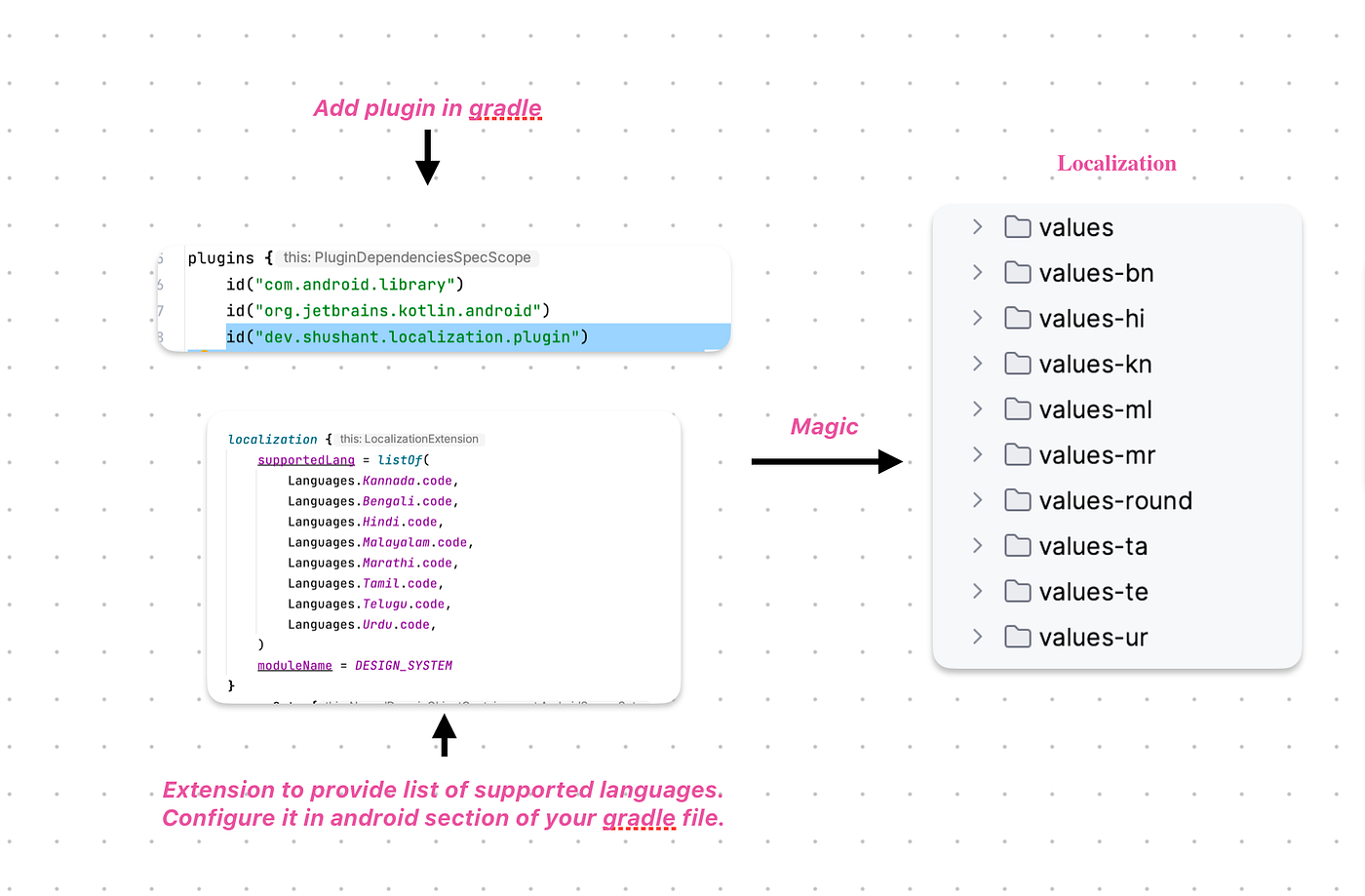
Gradle Localization Plugin
Generate App Resource Class Plugin
Overview
The Generate App Resource Class Plugin simplifies resource management in Jetpack Compose projects. This Gradle plugin automates the creation of a Kotlin class serving as a central hub for accessing application resources directly from your Composables.
Features
- Automatic Generation: Generate a Kotlin class with constants for all string resources, ensuring easy and type-safe access.
- Drawable Resource Access: Access drawable resources through generated extension functions.
- Seamless Integration: Integrate seamlessly into your build process to keep the resource class up-to-date.
- Code Readability and Maintainability: Improve code readability and maintainability by centralizing resource access.
plugins {
    id 'dev.shushant.generate-app-resource-class.plugin' version 'x.x.x'
}

appResourceExtension {
    stringFilePathWithFileName = ""
    iconsFilePathWithFileName = ""
    moduleName = ""
    packageNameWhereToGenerateFiles = ""
    applicationId =""
    classNameForIcons ="AppIcons"
    classNameForStrings ="AppStrings"
}- Configure the plugin with your desired settings.
- Build your project to automatically generate the AppResource class.
- Access strings and drawables directly from your Composables using the generated class.
- Enhance your Compose development workflow by leveraging the Generate App Resource Class plugin.
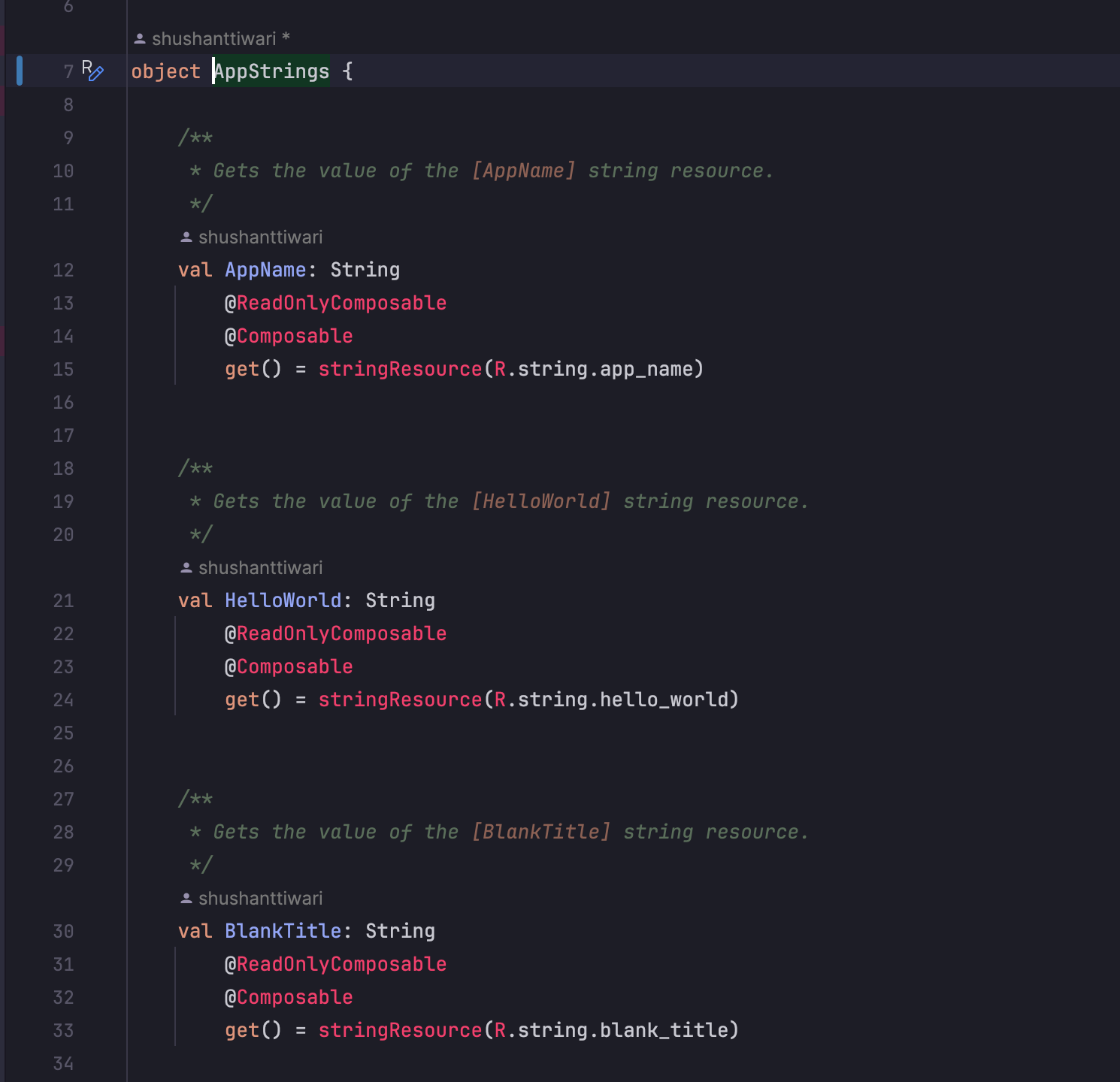
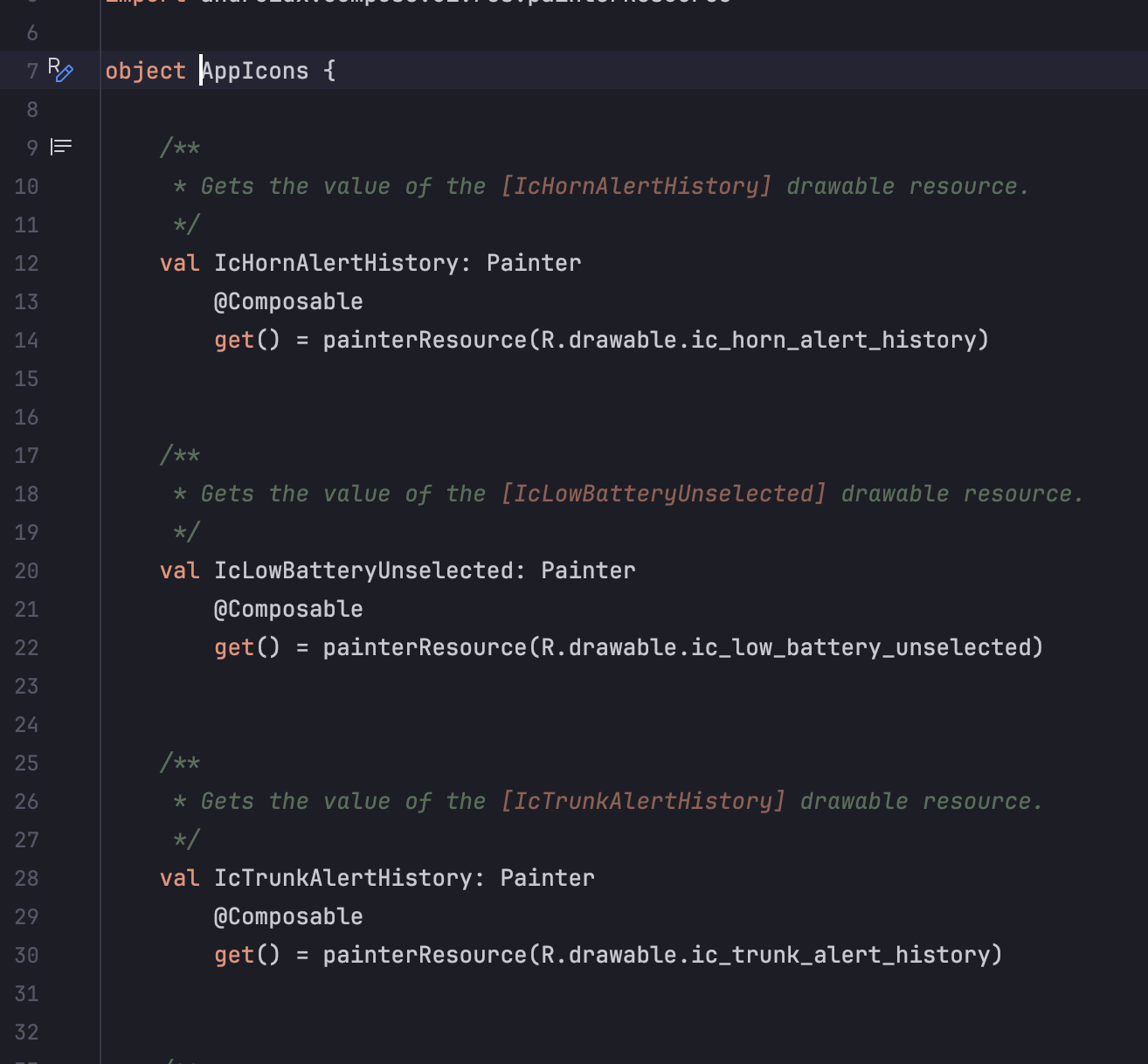
Generated class for String Resource & Icons
// Access string resource as string to use in composables
val welcomeMessage: String = FileName.welcomeMessage

// Access drawable resource as Painter to use in composables
val appIcon: Painter = FileName.appIcon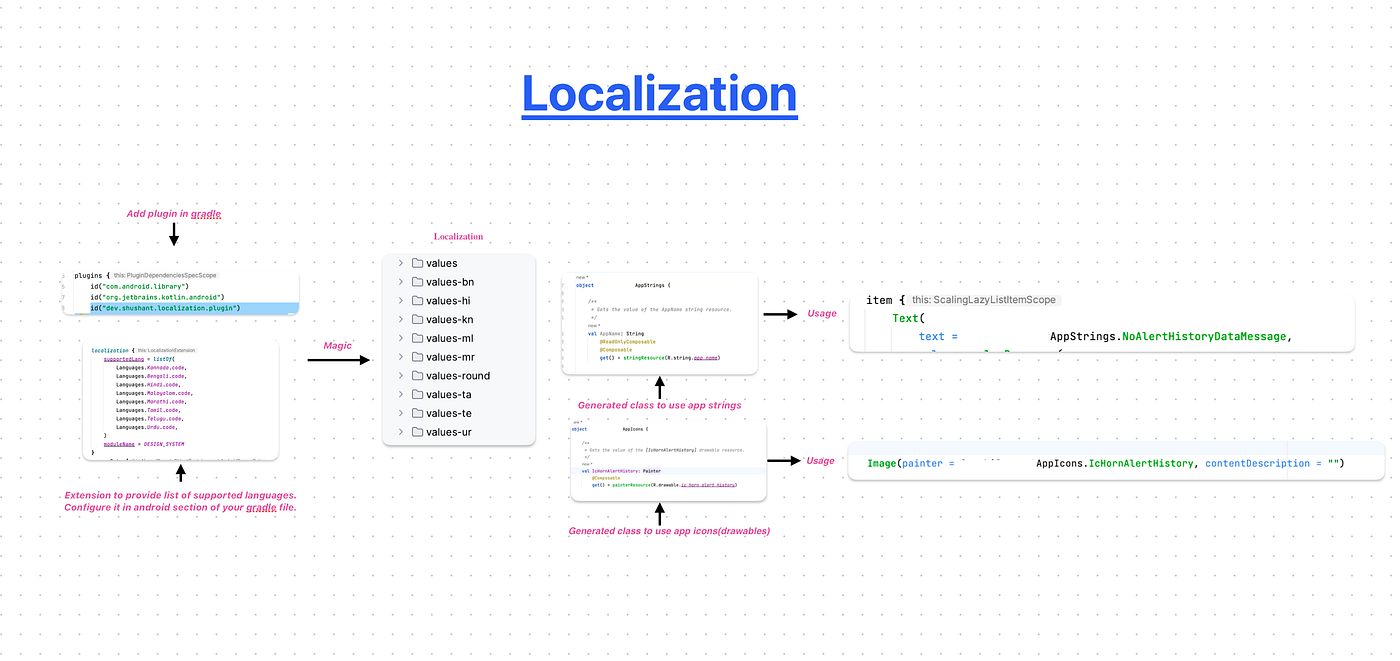
Localization
Plugin Links:
https://plugins.gradle.org/plugin/dev.shushant.localization.plugin
https://plugins.gradle.org/plugin/dev.shushant.generate-app-resource-class.plugin
I hope you have enjoyed reading this article! Please leave 1/2/tons of 👏 if you liked it, feedbacks are welcome as well!